


Controlling Metabot V1 robot
Now your robot is assembled, you can control it.
Using Android app (Bluetooth)
The Metabot application is available on the Android Play Store, it will allow your pairing and controlling the robot:
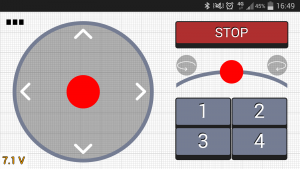
The Metabot V1 will appear as “BT-210” bluetooth name. When pairing, simply use the “1234” pin code with the robot.
Using the terminal (USB/Bluetooth)
Connecting the terminal can be acchieved the same way using USB or Bluetooth. In both situations, a virtual serial port will appear on your computer.
Windows
You may need the windows drivers.
When plugging the USB cable, you should see a serial port with a number in the peripherals manager:
You will also have a COM port if you pair using Bluetooth.
You can then use a software like PuTTY, in serial mode using the name of the port (COM4 for example).
Linux
The serial port will likely be named /dev/ttyACM0 using USB, and /dev/rfcomm0 with bluetooth.
You can use the cu program, typing cu -l /dev/ttyACM0 for instance to open the USB serial port.
Commands
Type start, the robot should turn green and get to its initial position. You can also type stop to release the servos torque.
The three main motion parameters are dx, dy and turn:
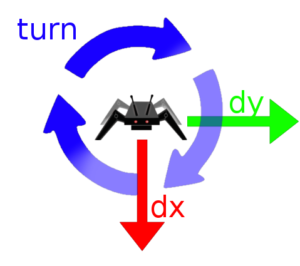
Motion parameters
For instance, if you type dx 50, the robot will walk forward, at 50 mm per step.
If you type turn 20, it will turn 20° per step.